Technologies

Built by ZMachinery.

Software and tools we design and build in-house. Request access to try or download a product. Our team reviews each request and replies by email.

In development

GIF Maker Live

Record, trim, and loop, a browser GIF studio with a Rust engine.

GIF Maker Live turns a camera recording, an uploaded video, or a single still image into a looping GIF right in the browser. You can trim and splice clips, crop, add simple motion to stills, then preview and download the result. Everything runs on your device: a Rust engine compiled to WebAssembly encodes the GIF, so nothing is uploaded, and the studio installs as an app that works offline.

  • Live camera capture or video upload, with up to 30-second sources and 5-second GIF selections
  • Trim, splice up to ten segments, and crop before encoding
  • Animate a still image with float, pan, zoom, or rotate motions
  • Rust core compiled to WebAssembly, plus a GPU-accelerated browser control panel
  • Open source under Apache-2.0
Invite-only beta

HMNPblock

Auditable human-continuity proofs for social posts.

HMNPblock attaches a signed proof to posts on X, Facebook, LinkedIn, Medium, and Substack. The proof shows that a community-vouched person published the post and that reviewers approved it. Checker access is available by request. Underneath, it runs on a Go ledger with a custom proof-of-authority consensus core. A badge means human-continuity review status only, not that the content is accurate or AI-free.

  • Checker that works as an installable PWA on iPhone, Android, and desktop
  • Browser extension that adds proofs right next to the post composer on supported sites
  • Members are verified by two vouchers, and reviewer votes are recorded on a ledger
  • Native Windows desktop checker built in Rust
Version 0.10.0

ShipMB

Natural-language programs in a .shipmb file, compiled and run on your machine.

ShipMBLang compiles plain English directly to ShipMBLang bytecode, not native code, and runs programs locally. Version 0.10.0 adds modules that split a program across files, a standard library, tasks that run at the same time, and calls to outside C, Rust or Python functions. It also includes native vision, with MiniCPM-V 4.6 running inside the shipmblang process and no separate server, a standalone executable, a portable Windows zip, and a portable Linux x64 zip, both without a Python install.

  • Grammar general-english-0.21: Otherwise if, Repeat N times, lists, comments, and What is ...? questions
  • Modules split a program across files, with a standard library, tasks that run at the same time, and calls to outside C, Rust or Python functions
  • ShipMBLang compiles plain English directly to ShipMBLang bytecode, not native code
  • Native vision with MiniCPM-V 4.6; after setup a vision program does not use the network
  • Portable Windows x64 and Linux x64 zips and a standalone executable, no Python install required
  • Open source under Apache-2.0
Coming soon

scnd

Talk to the AI and languages on your computer from any Nostr app.

scnd connects a language, a local AI model, or an MCP server running on your computer to Nostr, so you can talk to it anytime from any Nostr app.

  • Installs on Windows, Mac or Linux, and stays on in the background
  • Works with ShipMBLang, local models that speak the OpenAI-style API, other HTTP backends, and MCP servers
  • Public @mention threads with their own ongoing sessions, plus encrypted Nostr DMs (NIP-17)
  • Private by default: only people you allowlist get answers, and the backend's secret key stays in a locked file on your computer
MCP server

urbandictmcp

Slang lookups, explanations, and glossary rewriting as local MCP tools.

urbandictmcp exposes Urban Dictionary lookups as Model Context Protocol (MCP) tools. It runs locally over stdio and is launched by an MCP client such as VS Code, Claude Desktop, Codex, or a custom Python client, so an AI assistant can look up, explain, or rewrite slang during a chat or agent workflow. It is not an official Urban Dictionary MCP.

  • Five tools: define, random, look up by definition ID, interpret slang in text, and rewrite text with your own glossary
  • No runtime npm dependencies, database, background service, or API key; Node.js 18 or newer
  • Glossary rewriting works offline; lookups call the public endpoints only when a tool is used
  • Optional ShipMB compile and run tools
In development

voiceboi

An on-device speech-to-speech assistant that can answer in a cloned or designed voice.

voiceboi is an on-device speech-to-speech assistant. Whistle speech recognition feeds the Needle tool-calling model, which feeds a native Rust port of Qwen3-TTS (Apache 2.0). Replies can be text or speech, and you can clone your own voice or design a new one. It is in development and not available yet.

  • On-device pipeline: Whistle speech recognition, the Needle tool-calling model, and a native Rust port of Qwen3-TTS (Apache 2.0)
  • Replies as text or speech, in your own cloned voice or a newly designed one
  • Voice safety: consent checks for cloning, an encrypted voice store, an AI-generated label and watermark, and refusal of prompts that impersonate real people
  • Rust workspace on Candle, with a gpui-kit desktop app and CLI and an installable PWA shell
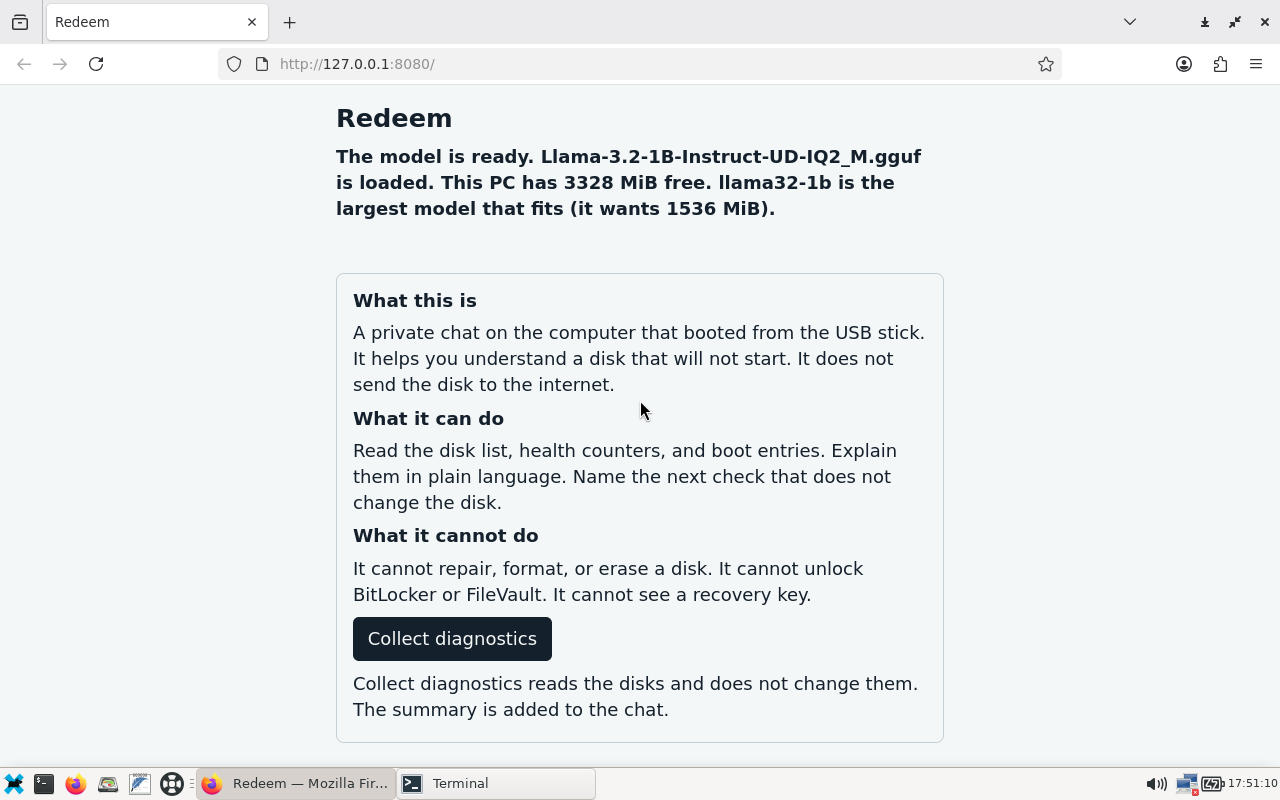
Redeem first screen: the local chat says the model is ready and offers Collect diagnostics
Access by request

Redeem

An offline AI rescue USB for fixing PCs that won't boot.

Redeem is a bootable USB with a local AI troubleshooting assistant that runs entirely on the PC's own CPU, with no internet needed. Plug it into a dead or misbehaving computer, boot from it, and chat through disk, boot, and BitLocker problems using your machine's real diagnostics.

  • Works fully offline with a CPU-only local AI
  • Collects disk and boot diagnostics automatically
  • BitLocker triage and safe read-only unlock
  • Optional phone and tablet access over local Wi-Fi with a one-time code
  • One-click USB maker for Windows, macOS, and Linux
  • Guarded fix mode: safe checks run only after you approve
  • Phone and tablet fixes over USB: Android (adb) and iPhone/iPad (Trust pairing) get device info, log collection, file and photo copy, and safe reboots, each approved on the rescue PC.
  • Phone OS flashing: Android via fastboot on already unlocked bootloaders, and iPhone/iPad restores of Apple-signed firmware, each behind backup and typed-serial gates on the rescue PC.
  • Full image only: the boot menu also offers Alpine Linux, Memtest86+ for RAM testing, and Finnix. Redeem stays the default. These boot separately, without the AI chat or Approve safeguards.
  • Redeem can now run an owner-driven Android bootloader unlock and relock from the rescue PC. It is Approve-only on the rescue PC, uses the phone maker's official OEM unlocking plus fastboot path, and never bypasses FRP or activation lock.
  • Optional iPhone control for broken screens: mirror the iPhone to the rescue PC over AirPlay on an offline hotspot and drive it as a Bluetooth mouse and keyboard, with no jailbreak or bypass.
  • A chat command queue for phone steps that runs only after one Approve on the rescue PC.
  • The chat now opens knowing the PC's maker, model and boot mode.
  • One 32GB or larger stick can carry both builds. Redeem picks full on PCs with 8GB of RAM or more and slim on smaller ones, with five seconds to switch.
  • The Make Redeem USB installers now write the image straight to the drive with a small progress screen on Windows, macOS and Linux, and Windows flashing handles drives that Windows tries to grab mid-write.
  • New Redeem TV build for testing: it connects to Android and Google TV over network adb, removes preinstalled bloat with Free My TV lists you can restore, and includes a remote for adb, Roku, Samsung, LG and HDMI-CEC TVs. Slim and full now point you to Redeem TV when they detect a TV.